How to Organize Your WIP
The best part of writing is organizing the writing. (Kidding.) (Kind of.)
First off, WIP = work in progress. Secondly, writing a book is… f***ing chaos. Truth be told, the creative process is neither orderly nor linear, but sometimes I need to trick myself into believing it is so I don’t panic, give up, and move to a remote beach Castaway-style. At the very least, I want to be able to quickly find whatever it is I’m looking for to minimize flow interruption.
All of the images below are from the folder for my second novel, This Might Hurt. This first image is a list of the sub-folders I create for every writing project I undertake, whether it’s a novel, screenplay, whatever. (I suppose I didn’t use it for short stories when I wrote them back in grad school, but they’re so short and manageable!)
Sub-Folders
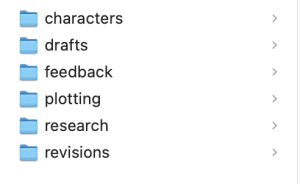
I think these categories are pretty straightforward. Let’s dive in.
Characters
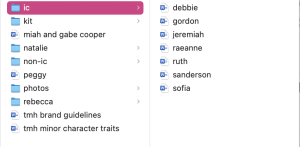
This is where character biographies, inspiration photos, and so on live. If they’re a main character, they typically get their own folder. If they’re B players, I often group them together, e.g. the Inner Circle (staff) at Wisewood.
Drafts
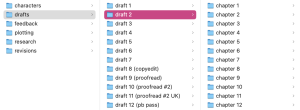
This is where the actual writing goes. (You thought I was exaggerating in interviews about the number of drafts it took me to finish TMH.) Within each chapter folder is a word doc, typically formatted as “tmh ch 36 1.14.21,” for example. I don’t save a new version for every single edit I make, but if something substantial has changed, I’ll create a new doc so I don’t lose what I had. The number of times I’ve reverted to what I wrote in a previous draft—whew boy. I keep the writing separated by chapter until we move to copyedits. At that point, chapters won’t be moving around anymore, and I no longer need to track what happens when so closely. At the copyedits stage I work in one long Word document, which is how editors and copyeditors send you feedback. When you get to the proofreading stage, your pages have been typeset (i.e. how they will look printed in the book), so I receive a pdf that I will handwrite minor changes on.
Feedback
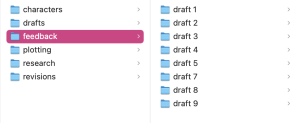
This is where I store feedback from my editors or anyone else I’ve asked to read. That could include emails turned into PDFs, in-manuscript notations in a .doc file, or handwritten notes I’ve taken during phone calls.
Plotting
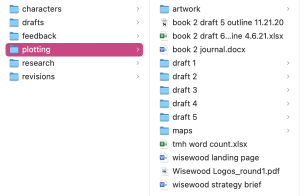
This is where I keep one-sentence chapter summaries (created in Scrivener), timelines (Excel), book journals (Word), and any other miscellaneous notes. My word count spreadsheet is one of my most important motivational tools. It’s nothing fancy, just a list of the word count of each chapter, but it is SO gratifying to watch that total word count climb every day.
Research
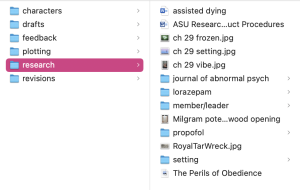
Most of my research for each book lives in a Google doc. I like that you can create a table of contents there to move easily between sections, which you can’t do in Word. Stuff that goes in the research folder instead of the Google doc includes: setting inspiration (photos and descriptions), any relevant drug information, psychological information, quotes I’m considering for epigraphs, etc.
Revisions
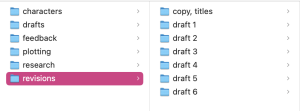
This is where I store to-do lists of what I need to achieve in a draft. Sometimes it’s overwhelming to hold all of the feedback in your head at once, especially if you have multiple editors weighing in. If I create a single checklist, the hope is I won’t forget anything.
This post was originally published on my Substack. You can read it here.